The context layer for browsing agents.
Your browsing agent keeps failing on real sites. Hanzi Browse ships 24 site playbooks — hints for the LLM, not brittle scripts — so it actually finishes the task.
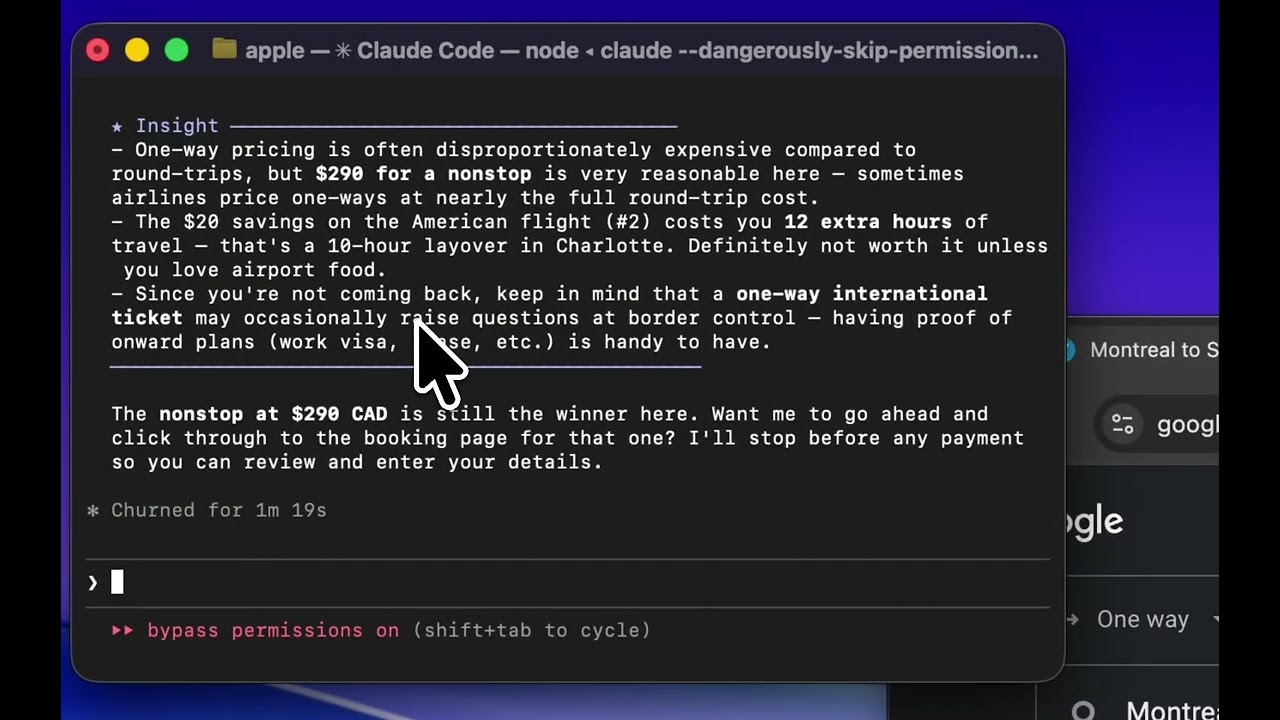


A browser sub-agent for your coding agent.
One command installs it. Your agent delegates browser work — clicking, reading, filling forms in your real signed-in Chrome — and keeps its context free for code.
- One command setup. Detects every agent on your machine and wires Hanzi Browse into each one's MCP config.
- Ships with a site-knowledge layer. 24 verified playbooks (X, LinkedIn, Gmail, Notion, Zillow…) auto-loaded by URL — the context big-tech agents don't have.
- Offloads the browser, not your context. The sub-agent runs the loop — read page → plan next action → click/type/scroll → observe → repeat until done — then returns a clean answer. Your main agent fires one tool call and gets the result.
Browser automation for your users, described in English.
Your backend sends a natural-language task. Your users' own Chrome runs it. Same engine, same site knowledge as the CLI — packaged as a REST API and @hanzi-browse/sdk.
- Describe, don't script.
runTask({ task: "…" })— no selectors, no Playwright. - Your users stay in control. They pair their own browser; you never touch credentials.
- Same infra as the CLI. Free tools on tools.hanzilla.co are SDK demos.
A browser sub-agent for your coding agent.
One command installs it. Your agent delegates browser work — clicking, reading, filling forms in your real signed-in Chrome — and keeps its context free for code.
npx hanzi-browse setup
What you can do with it
Setup ships open-source skills for common workflows. Your agent picks the right one for the task — or you can mention the skill by name.
Skills that ship with setup
See all skills →E2E Tester
Clicks through flows in a real browser, reports bugs with screenshots and code refs.
Social Poster
Draft once, post to LinkedIn, X, Reddit, HN & Product Hunt — each tuned per platform.
X Marketer
Finds high-value conversations, posts contextual replies from your real X account.
LinkedIn Prospector
Finds prospects and sends personalized connection notes — never templated.
Accessibility Auditor
Real-browser WCAG 2.1 AA audits — contrast, focus, keyboard nav, ARIA, screenshots.
Data Extractor
Scrapes tables, directories, and listings into CSV or JSON — even logged-in pages.
Browser automation for your users, described in English.
Your backend sends a natural-language task; your users' own Chrome runs it. Same engine, same site knowledge as the CLI — packaged as a REST API and @hanzi-browse/sdk.
How it works
Need volume pricing? Talk to us.
Quick example
import { HanziClient } from '@hanzi-browse/sdk';

const client = new HanziClient({
  apiKey: process.env.HANZI_API_KEY,
});

// Pair a browser — give the URL to your user
const { pairingToken } = await client.createPairingToken();
// User visits: https://api.hanzilla.co/pair/{pairingToken}

// Find their connected session
const sessions = await client.listSessions();
const browser = sessions.find(s => s.status === 'connected');

// Run a task
const result = await client.runTask({
  browserSessionId: browser.id,
  task: 'Read the patient chart on this page',
});

console.log(result.answer);
See it in action — no install.
Hosted apps built on the SDK you just read about. Paste a URL, pair your browser, watch it run.
X Marketing
Finds a conversation in your niche, drafts a reply in your voice, and posts from your real X account — no install required.
Try it free →
Accessibility, QA, Play Console replies…
Community-built tools showing different use cases. Each pairs your real browser; none need install.
Explore tools.hanzilla.co →
Free to start. Pay per task.
Only charged for completed tasks. Errors and timeouts are always free.
$0.05 / task
20 free tasks/month included
- We handle the AI — no API key needed
- Only charged for completed tasks
- Errors and timeouts are free
- REST API + MCP + TypeScript SDK
Free
You provide your own AI model
- Use your Claude, GPT, or Gemini key
- Everything runs locally
- No data leaves your machine
- Unlimited tasks
Questions people actually ask.
Short answers. Open any to expand.
How is Hanzi Browse different from Playwright, Puppeteer, or Browserbase?
Do I need a new API key, or can I reuse my Claude Pro / ChatGPT Plus subscription?
auth.json, the macOS Keychain, or a plain API key — whichever you have. If you already pay for Claude Pro/Max or GPT Plus, it's effectively free. No extra billing.Does my browsing data go to Hanzi Browse's servers?
Can I embed Hanzi Browse in my own product?
@hanzi-browse/sdk). Your user pairs their browser once via a pairing link, then your backend calls client.runTask(...) against their session. Billing is $0.05 per completed task — errors and timeouts are always free.One command. Real browser.
Or read the developer guide to embed Hanzi Browse in your product.
npx hanzi-browse setup